Make a wedding invitation video without editing
Turn your Tạo Thiệp Online wedding invitation into a video without editing. Pick a design, add your details, then share the video with your invitation link.
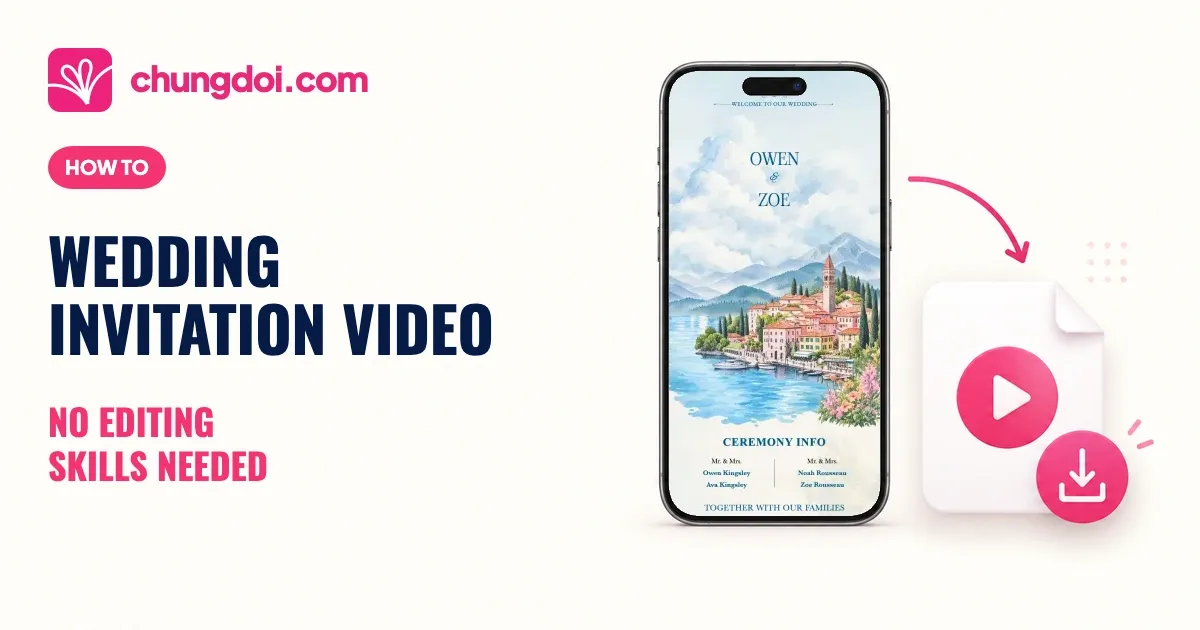
You do not need to edit clips or build a slideshow to make a wedding invitation video. On Tạo Thiệp Online, choose a design, add your photos, wording and music, then turn that invitation into a video. One click starts the process. Here is what it looks like and how to make your own.
See a wedding invitation video
Sample video made with the Riviera Blue template. Press play to see the invitation in motion with music, then imagine it with your own names and photos.
1. Choose an invitation design you love
Open a preview to find your style. Your video will follow the layout and look of the design you choose.

Double Happiness - Red
Elegant shuangxi, arch photo frame, happiness seal envelope

Double Happiness - Green

Double Happiness V2 - Red

Double Dragon - Red

Double Phoenix - Red

Elegant Leaf - Green

Dragon Phoenix - Red

Double Crane - Red

Riviera - Blue

San Miguel - Yellow

Dragon Phoenix V4 - Red

Dragon Phoenix V3 - Red

Dragon Phoenix V2 - Red

Double Dragon - Green

Boho Floral - Green

Boho Floral - Pink

Jasmine - White

Silk Flora - Brown

Chateau - Blue

Brocade Flower - Red
More beautiful templates waiting for you
2. Add your photos and wedding details
In the editor, replace the sample content with your own:
- Names and invitation wording: add your names and write your invitation.
- Photos: choose the pictures you love.
- Wedding details: enter the date, time and venue.
- Music: pick the track you want in the video.
Preview the invitation and check the details before publishing.
3. Publish your invitation and create the video
When your invitation is ready, select “Publish”. Then, in the editor:
- Select “Share”, then “Download MP4 Video”.
- Wait for Tạo Thiệp Online to create your video. This can take a few minutes. You can close the sharing panel and come back later.
- When it is ready, select “Tap to save video” and watch it before sharing.
The download is a portrait MP4 video in Full HD.
If you change your invitation later, create and download the video again before sending it.
See the image and video download guide for illustrated instructions.
Please note: Video generation is available only for paid invitations.
Two ways to share your wedding invitation video
Share the news on social media
Post the video on your profile, or choose a favorite part for a Story.
A caption idea to make your own:
“We're getting married! Here's a little look at the invitation we made for our big day.”
Send the video with your invitation link
Include the invitation link when you send the video to guests. The video gives them a preview; the link opens the full details, directions and RSVP form.
A suggested message for friends:
“We're getting married on [date] and would love you to be there! Here's our invitation video, with the link below for all the details and your RSVP.”
Change the date and wording to suit the person you are inviting.
After the wedding, keep the video alongside your photos as something to look back on together.
Choose your invitation design and start making your wedding video.